Integrating with TIM Plus
After installing Echo into your voice network, you need to configure its presence in TIM Plus.
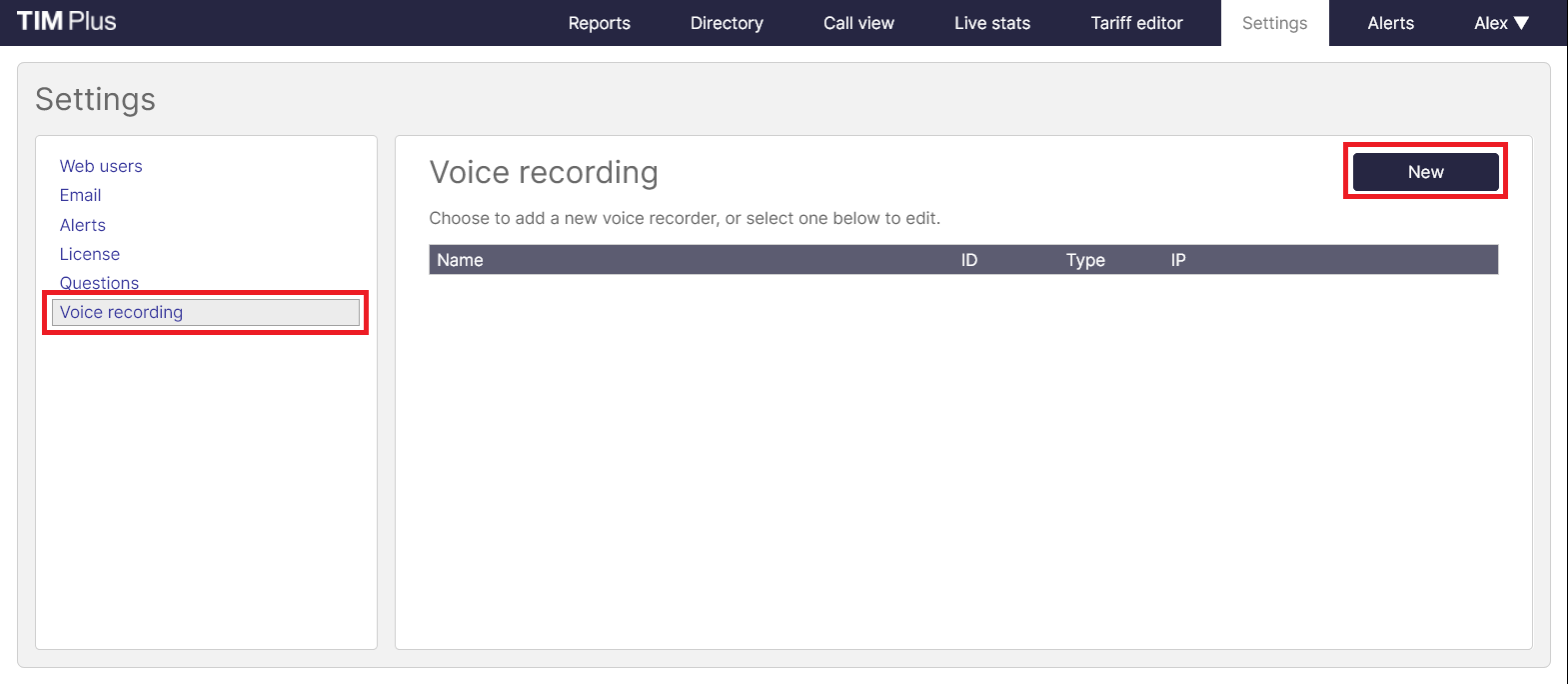
Ensuring you are logged in to TIM Plus as an administrator, click on the Settings tab and select the Voice recording option from the left-hand side menu. To add a voice recording option, click on the New tab, as shown below:
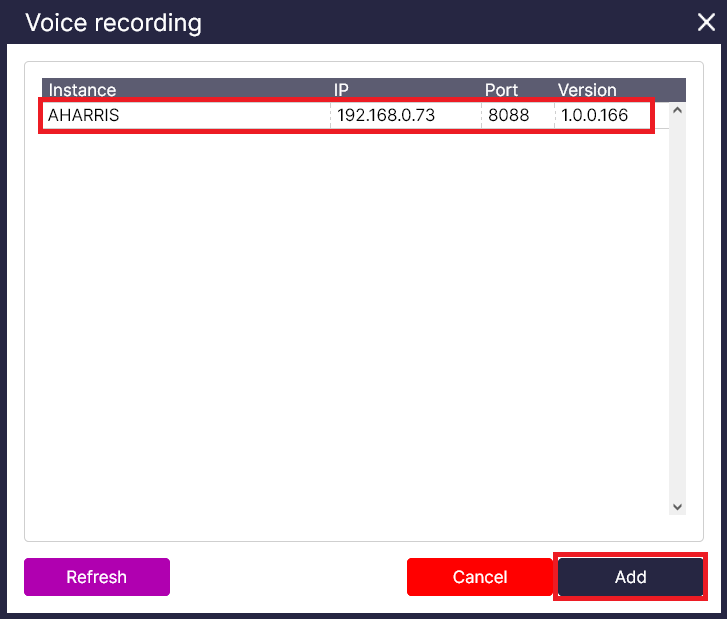
Select your Echo instance you want to provide your TIM Plus with call recordings.
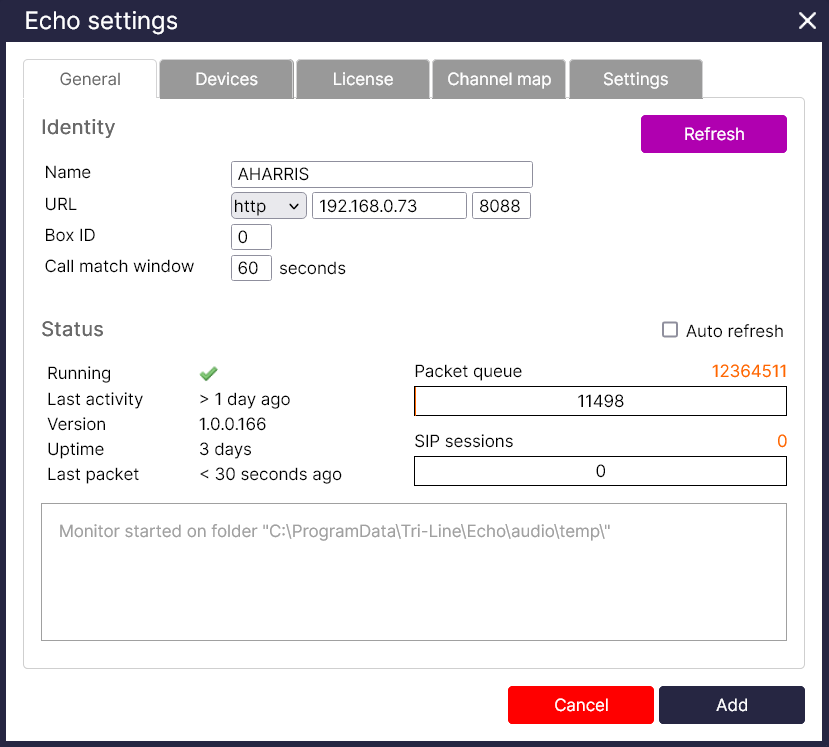
A new window will appear, allowing you to configure the settings of your call recording device.
Setting
| Setting | Description |
|---|---|
| Name | The name of your recording device |
| URL | The http protocol, IP address and port number for the Echo instance |
| Box ID | The unique identifier of each call recording device |
| Time offset | The time interval around which TIM Plus will search for calls when matching audio files |
Press Save when you have finished.